A2A AI agent
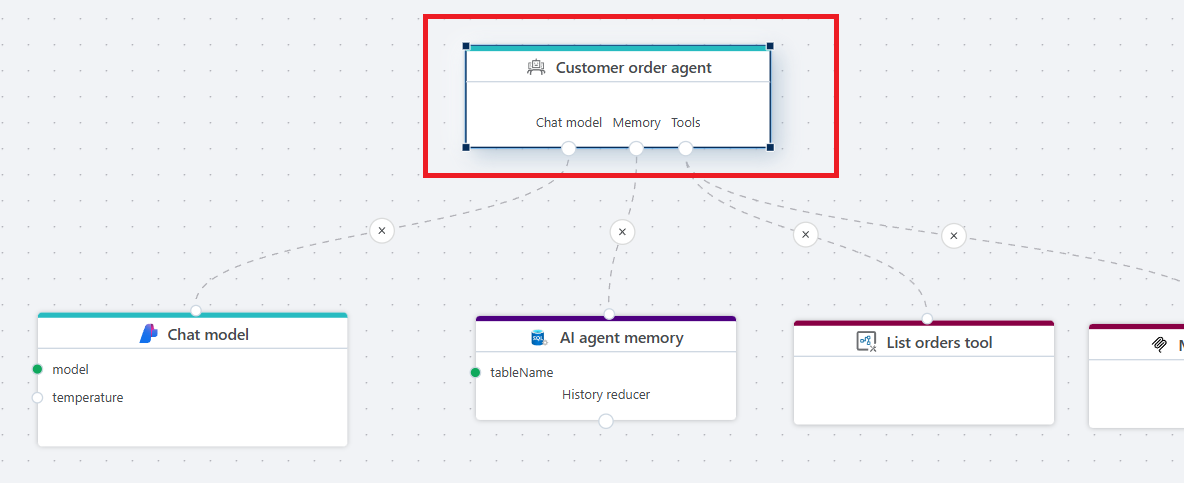
Defines an AI agent designed to perform tasks on behalf of a Client (orchestrator) agent. It uses the A2A protocol and is intended exclusively for Agent-to-Agent interoperability where requests are issued by a Client agent and the (A2A) AI agent is responsible for completing the task.
Note
The AI agent node has no Execution in or Execution out ports, which means that when it’s used in a Flow, no other executable nodes can be included in that Flow.
Properties
| Name | Required | Description |
|---|---|---|
| Name | Yes | A human-readable name for the agent. The name helps users and other agents in understanding its purpose. |
| Instructions | Yes | Defines the behavior of the agent and rules it should follow. |
| Tools usage | No | Specifies whether the agent should use tool calling directly, or write and execute code to use the tools. Read more about this topic below. |
| Description | Yes | A human-readable description of the agent, assisting users and other agents in understanding its purpose. |
| Skills | Yes | The set of skills, or distinct capabilities, that the agent can perform. |
Skills
| Name | Type | Description |
|---|---|---|
| Name | Yes | A human-readable name for the skill. |
| Description | Yes | A detailed description of the skill, intended to help clients or users understand its purpose and functionality. |
| Tags | Recommended | A semicolon separated list of keywords describing the skill's capabilities, for example billing; customer support |
| Input modes | Recommended | The set of supported input Media types for this skill, for example text, application/json, or image/png. This describes the format of the data that the agent accepts. |
| Output modes | Recommended | The set of supported output Media types for this skill, for example text, application/json, or image/png. This describes the format of the data that the agent returns to the client agent. |
| Examples | Recommended | Example prompts or scenarios that this skill can handle. Provides a hint to the client on how to use the skill. Example: "What is the total amount for sales in region West?" |
Choosing Tools
When building AI agents, it's best practice to keep their area of responsibility as narrow as possible. While this may seem counterintuitive to the concept of agents, giving an agent too many tools to choose from can negatively affect its accuracy when making decisions and selecting tools. It also increases token usage, and consequently, cost.
Tools usage
You can choose between two modes for how the agent can use tools: Tool calling or Code mode.
The mode you should choose depends on the complexity of the task, cost considerations, and the amount of data involved.
Both options are discussed below.
Note
If you enable Code mode in the Tools usage property, be aware that not all AI models can use this mode reliably. In general, only more advanced models—such as GPT 5.2 or later, Claude Opus, and Sonnet 4.5 or later—produce consistent results.
Smaller models, including the GPT 5 mini series, DeepSeek, and Kimi2 Thinking, currently do not support Code mode reliably. This may change over time, so it is recommended to test different models to see what works in practice.
Tool calling
In this mode, the AI agent uses traditional tool calling, where each tool is described to the LLM using a JSON schema. When the LLM reasons about what to do, it evaluates the available tools, selects the ones it needs, and calls them in sequence.
If multiple tools are required to complete a task, they are invoked independently, one by one. When a tool returns data, the result is added to the context and included in all subsequent requests to the LLM. Depending on the number of tools and the amount of data returned, this can have a noticeable impact on cost and performance, as the LLM must process the full context on every request.
Pros:
- Smaller and cheaper models (such as GPT mini or DeepSeek) can be used for simpler tasks, reducing cost.
Cons:
- The number of tools an agent can reliably use is limited. A common rule of thumb is to keep the total below 20.
- Data returned from tools is added to the LLM context and sent with every subsequent request, which can significantly increase token usage and cost.
- Tool definitions are included in every request, even when most tools are not used, leading to unnecessary token consumption.
Code mode
In this mode, the agent reasons about the task and inspects the APIs available through its tools to determine whether it can solve the task by writing and executing code.
Instead of calling each tool individually, the agent generates a single piece of code that uses all required tools and then executes it. For complex, multi-step tasks, this means the agent only needs to discover the APIs, write the code, and run it — typically requiring only two or three calls rather than one per tool.
Because the code is executed in isolation, data returned from intermediary tool calls is not added to the context. This significantly reduces token usage in scenarios where large amounts of intermediate data would otherwise be passed between steps.
Pros:
- More predictable behavior when working with a large number of tools
- For complex, multi-step tasks that require passing data between tools, code mode generally performs better and consumes considerably fewer tokens
Cons:
- Only large models with strong reasoning and coding capabilities can be used in code mode
When to use Tool calling vs Code mode
There is no strict boundary between when tool calling or code mode is the better choice. However, the following guidelines can help:
Use tool calling when:
- Only a small number of tools are available to the agent
- The tools do not pass large amounts of data between them (for example files, images, or data sets)
- The task does not require many tool calls
Use code mode when:
- A large number of tools are available, typically in more complex workflows
- The tools (may) need to exchange large amounts of data to reach the goal — for example when fetching and analysing the contents of files, images, or large data sets
Enabling Client agents to use the AI agent as a remote agent
A2A enables agent-to-agent interoperability, where a Client Agent acts on behalf of a user or process, issuing requests and commands to remote agents.
To use a Flow A2A AI Agent as a remote agent, the Client Agent must first discover it by retrieving its Agent Card. The Agent Card contains information about the agent—such as its API endpoint and authentication requirements. The discovery request itself does not require authentication.
Once the Client Agent has discovered the remote agent, it can use the information in the Agent Card to make authenticated requests. Flow A2A AI Agents support API key authentication, so an API key must be included in the HTTP request sent by the Client Agent.
The Agent Card specifies the name of the authentication header so it can be resolved dynamically. For Flow, the header is always x-api-key.
private static async Task<AIAgent> CreateAgentAsync(AgentInfo agentInfo)
{
    var url = new Uri(agentInfo.Url);
    var httpClient = new HttpClient
    {
        Timeout = TimeSpan.FromSeconds(60)
    };

    var agentCardResolver = new A2ACardResolver(url, httpClient, agentCardPath: agentInfo.AgentCardPath);
    var agentCard = await agentCardResolver.GetAgentCardAsync();
    var securityScheme = ((ApiKeySecurityScheme)agentCard.SecuritySchemes["apiKey"]);

    // This should be looked up from some sort of storage, like a database or environment variable.
    string apiKey = "my-api-key";

    // Flow A2A agents always expects auth header to be named 'x-api-key',
    // however, you can avoid hard coding by getting it from the SecurityScheme in the Agent Card.
    httpClient.DefaultRequestHeaders.Add(securityScheme.Name, apiKey);

    return await agentCardResolver.GetAIAgentAsync(httpClient);
}
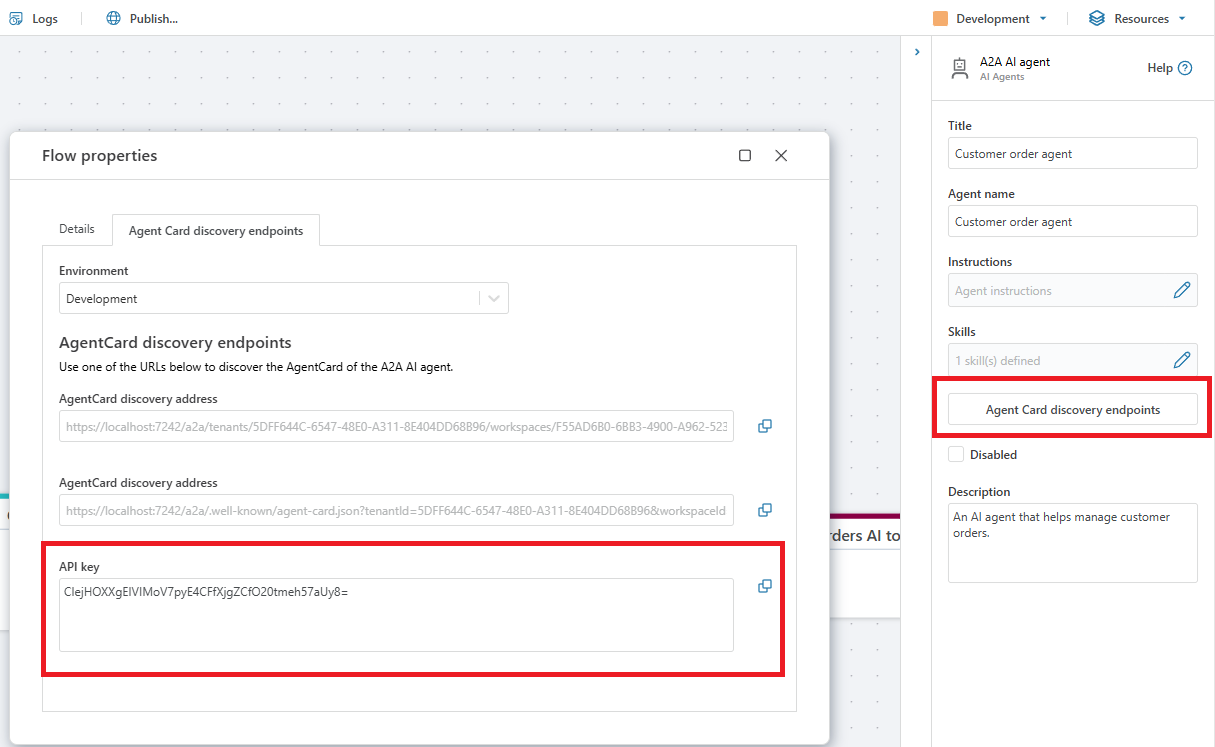
Finding the API key for an A2A AI agent.
To find the API key for an A2A AI agent, click the Agent Card discovery addresses in the agent's property editor, or open the Resources -> Flow properties window in the application toolbar (upper right corner).
Note
If the API key field is empty, go to the Portal and generate an API key for A2A.