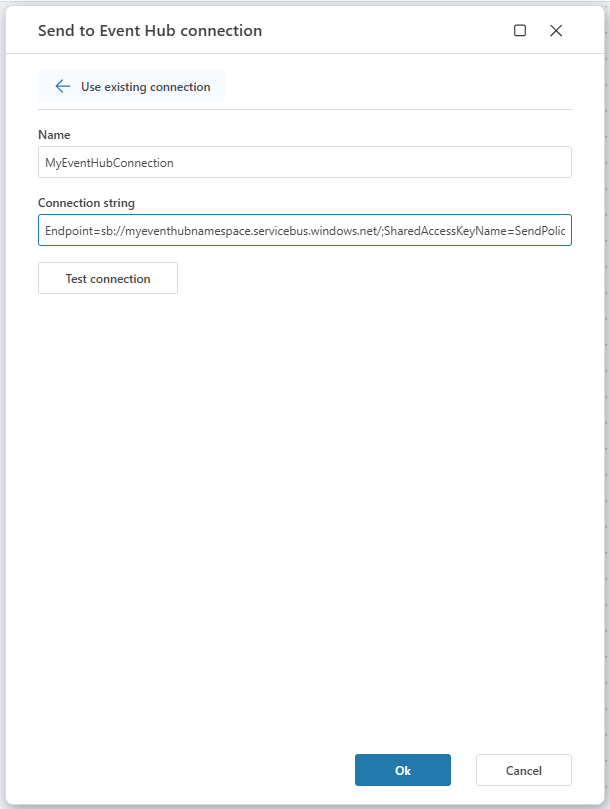
Azure Event Hub Connection
When adding an Azure Event Hub action, select an existing connection or create a new one.
Flow supports one connection method:
- Connection String
Connection properties
| Name | Description |
|---|---|
| Name | A custom label for this connection. This name will appear when selecting the connection in a Flow action. |
| Connection string | The full connection string for the Event Hub. Includes namespace, policy name, key, and Event Hub entity path. |
Connection String
Use this option to connect using the Azure Event Hubs Namespace connection string.
You can find it in the Azure Portal:
- Go to the Azure Portal.
- Navigate to Event Hubs.
- Select your Event Hubs Namespace.
- In the left menu, under Settings, click Shared access policies.
- Choose or create a policy with the required rights:
- Manage – Full control (includes Send and Listen).
- Send – Allows sending messages to the Event Hub.
- Listen – Allows receiving messages from the Event Hub.
- Copy the Primary connection string (not the key).
Important
Always copy the Primary connection string, not the Primary key.
Tip
If possible, avoid using the RootManageSharedAccessKey, as it grants full access to the namespace. Create a dedicated policy with minimal permissions instead.
Example (Send policy):
Endpoint=sb://mynamespace.servicebus.windows.net/;SharedAccessKeyName=SendOnly;SharedAccessKey=abcd1234...;EntityPath=myeventhub
Example (Listen policy):
Endpoint=sb://mynamespace.servicebus.windows.net/;SharedAccessKeyName=ListenOnly;SharedAccessKey=xyz987...;EntityPath=myeventhub