Define type
This action is OBSOLETE - use this instead.
Defines one or more custom data types using a type builder interface, JSON schema or C#.
Use the type builder when the data type of all properties in the custom type is a built-in .NET type.
If you need to define complex, nested types, use the C# or JSON schema editor in the Advanced tab.
Example 
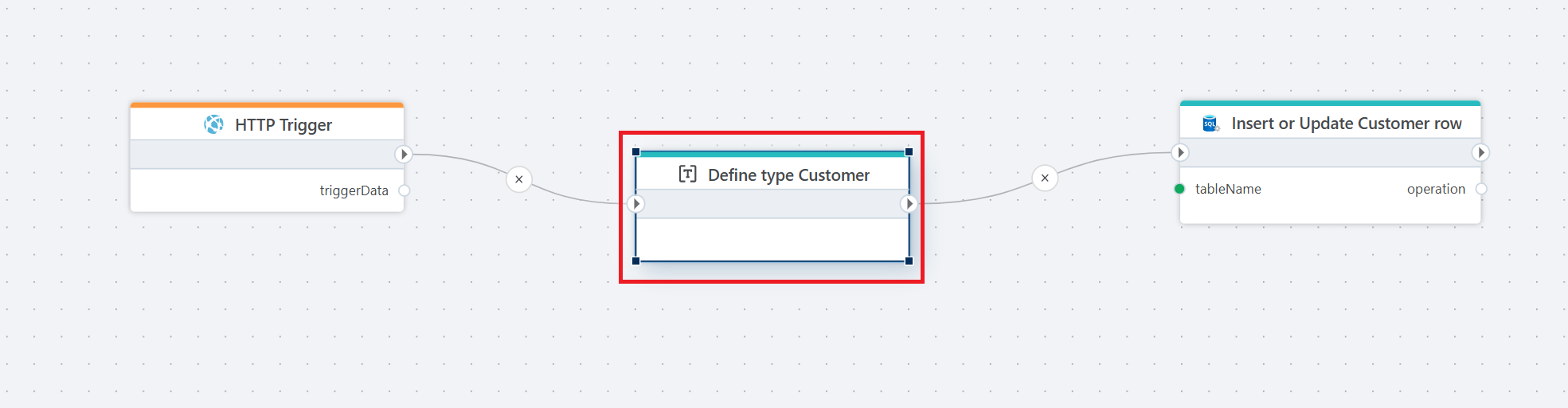
This Flow receives customer data through an HTTP endpoint and writes it to a database table.
The Flow starts with an HTTP Trigger, which accepts an incoming request containing customer data. The incoming payload is then mapped to a strongly typed Customer record using the Define type Customer action. This step defines the expected structure of the data and ensures it is passed forward in a consistent format.
Finally, the Flow uses the Insert or Update Customer row action to persist the customer data in a SQL table. Depending on the configuration of the action, an existing row is updated or a new row is inserted.
This Flow is typically used to expose a simple API endpoint for creating or updating customer records while keeping data structure and database logic centralized inside the Flow.
Properties
| Name | Required | Description |
|---|---|---|
| Title | No | The title or name of the action. |
| Type definition | Yes | Definition of one or more custom data types using JSON schema or C#. |
| Description | No | Additional notes or comments about the action or configuration. |
Type definition
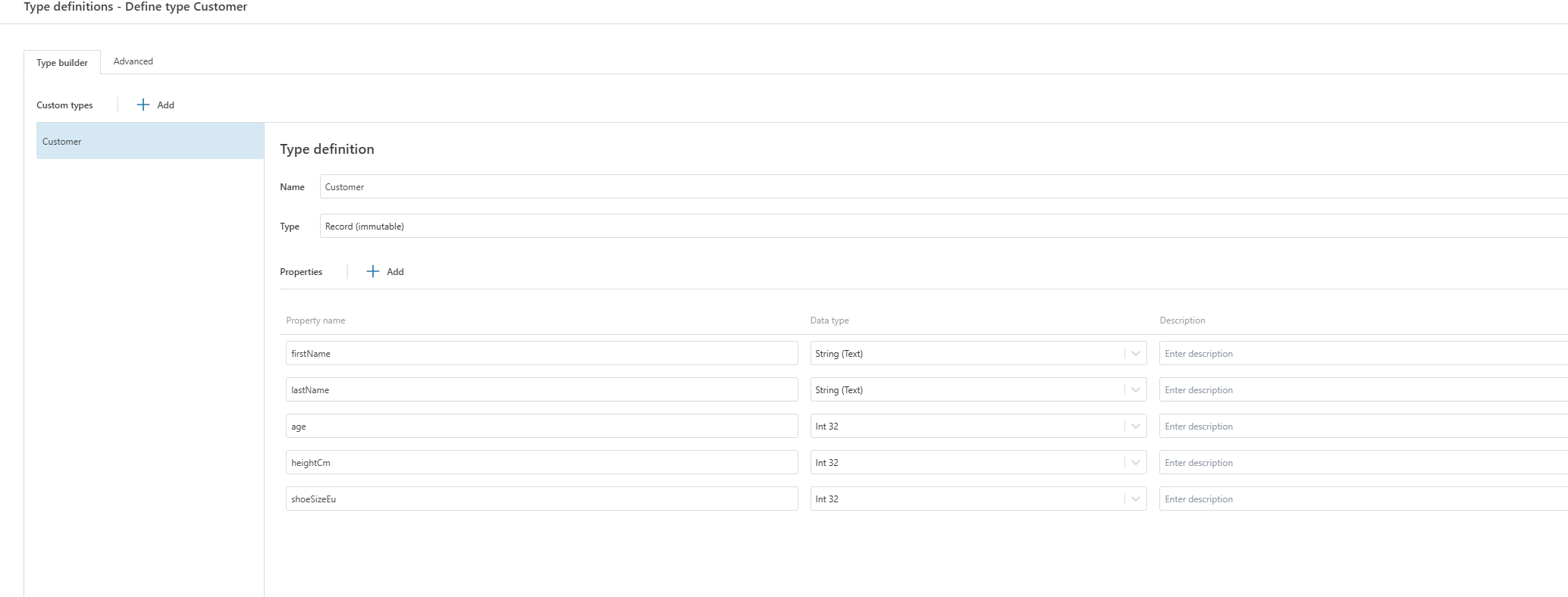
Advanced type definition
public record Customer
{
    public string FirstName { get; init; }
    public string LastName { get; init; }
    public int Age { get; init; }
    public int HeightCm { get; init; }
    public int ShoeSizeEu { get; init; }
}
Each property must have a name that matches the property name used in the Flow.
Properties define the shape of the data passed between actions.
Record with init properties makes the type immutable, which matches how Flow data is typically handled.
Property names are case-sensitive when mapping data.
Use Advanced when:
You want full control over the type definition.
You need to copy or version type definitions across Flows.
You prefer writing types as code instead of clicking through the UI.
You want to define the type quickly when there are many properties.
Use Type Builder when:
You want a visual overview.
The type is simple and unlikely to change.
You want built-in validation through the UI.