Google BigQuery Connection
When adding a Google BigQuery action, select an existing connection or create a new one.
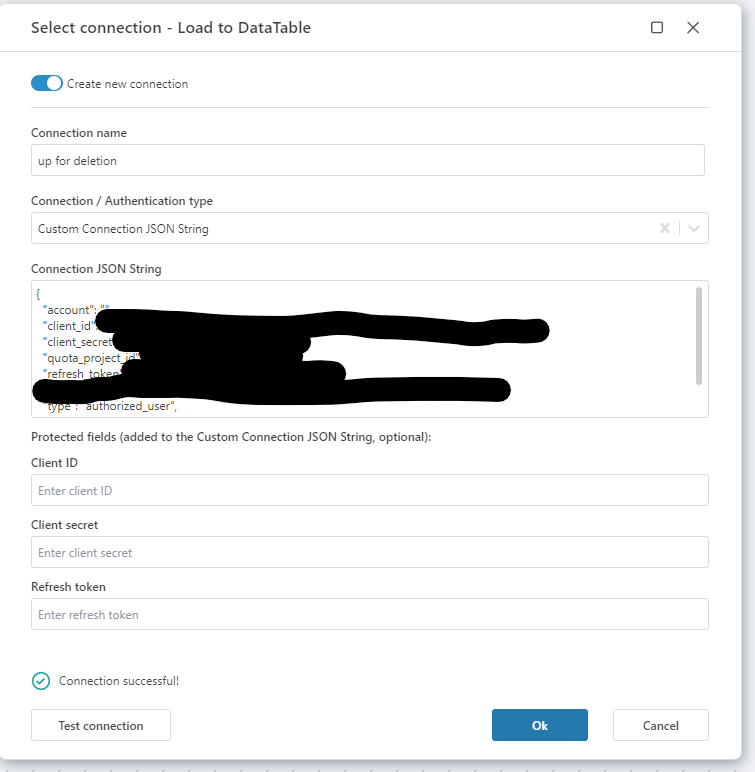
Hypergene Flow supports two authentication methods:
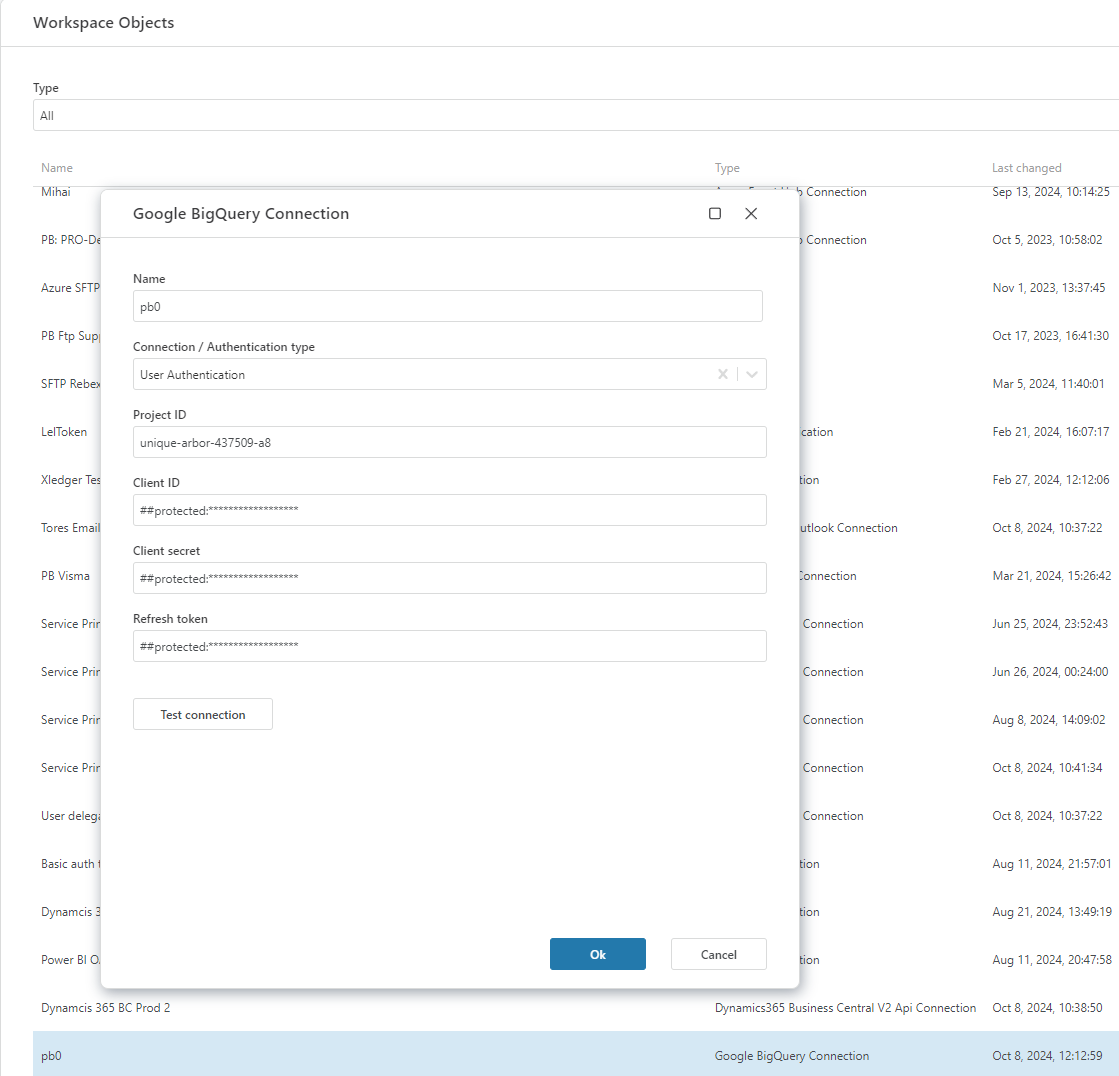
- User Authentication (recommended for most cases)
- Custom Connection String (JSON)
Connection properties
| Name | Description |
|---|---|
| Name | A custom label for the connection. This name will appear when selecting it in a Flow action. |
| Connection/Authentication Type | Choose between: • User Authentication – Login with your Google account to authorize access. • Custom JSON String – Provide a full connection object in JSON format (service account credentials). |
| Project ID | The Google Cloud Project ID associated with your BigQuery dataset. |
| Client ID | OAuth 2.0 Client ID from your Google Cloud project's credentials. |
| Client Secret | OAuth 2.0 Client Secret tied to the client ID. |
| Refresh Token | A long-lived token used to authenticate and obtain access tokens automatically. |
TIP
To generate the refresh token, you can use OAuth Playground or a custom authorization flow in your app. Ensure the token has access to BigQuery APIs.
Setting up User Authentication
- Go to the Google Cloud Console.
- Navigate to APIs & Services → Credentials.
- Click Create Credentials → OAuth client ID.
- Select Web application and set the redirect URI to a placeholder (it won’t be used in this case).
- Copy the Client ID and Client Secret.
- Use OAuth tools (like OAuth 2.0 Playground) to generate a Refresh Token with BigQuery scopes:
https://www.googleapis.com/auth/bigquery
NOTE
Ensure BigQuery API is enabled in your project:
Enable BigQuery API
Custom Connection JSON String
If you are using a service account for access:
- In the Google Cloud Console, go to IAM & Admin → Service Accounts.
- Select your service account and click Create Key.
- Choose JSON format and download the key file.
- Paste the entire JSON content as your custom connection string.
This method uses a service account to authenticate and does not rely on user-based OAuth tokens.
Example: User Authentication
Example: Custom JSON String