Upload to Lakehouse
Uploads a file to a Lakehouse in Microsoft Fabric to make it ready for analytics.
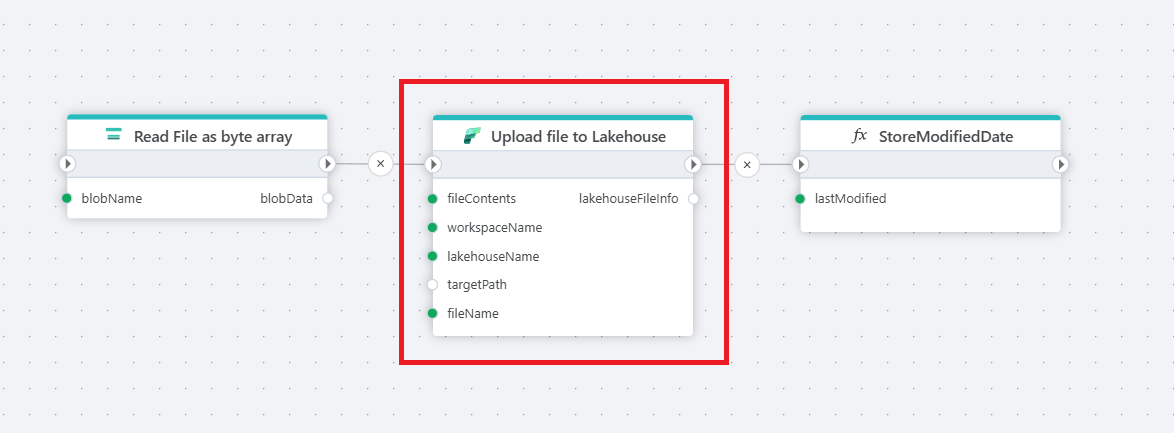
Properties
| Name | Required | Description |
|---|---|---|
| Title | No | The title for the upload action to the Lakehouse. |
| Connection | Yes | The Microsoft Fabric Connection used to make an authenticated request to the Microsoft Fabric REST API. To create a Connection, please follow these steps. Note! Make sure to choose an authentication method and user with the required priviliges. |
| File contents | Yes | Specifies the file content to upload, which can be in the form of a byte array or stream. |
| Workspace name | Yes | The name of the Fabric Workspace where the file will be uploaded. |
| Lakehouse name | Yes | The name of the Lakehouse in the specified workspace to which the file will be uploaded. |
| Target folder | No | The target folder within the Lakehouse where the file should be uploaded. |
| Target file name | Yes | The name for the uploaded file in the Lakehouse. |
| Overwrite if file already exists | No | Specifies whether to overwrite an existing file with the same name in the target folder. |
| Description | No | A description of the file upload action for easier reference. |
Returns
This action returns LakehouseFileInfo.
Microsoft Fabric: Videos / Getting started
This section contains videos to help you get started quickly using Fabric in your Flow automations.
Deploy data pipeline to Fabric from GitHub
This video demonstrates how to deploy a data pipeline from GitHub to Fabric using Flow.