Convert a PDF file to image
This action converts a PDF file into an image (PNG or JPG).
Its primary use case is extracting data from PDFs using OCR techniques, rather than relying on text (e.g., Markdown) in cases where text patterns are difficult to parse.
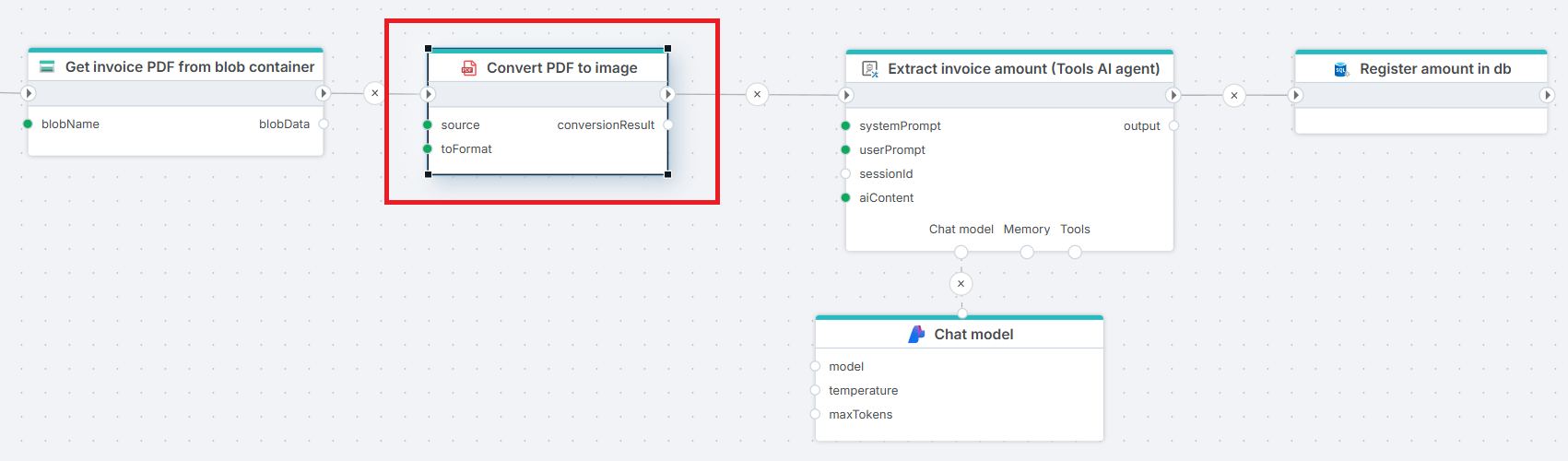
Figure: This Flow retrieves a PDF file (invoice) from an Azure Storage blob container, converts it to an image, and uses an AI model to extract the invoice amount.
Properties
| Name | Required | Description |
|---|---|---|
| File data | Yes | The PDF file (stream or byte array) to convert. |
| Output format | Yes | The format to convert to (png or jpg). |
| Response mode | No | Default or Zip.Default: A single image is returned, regardless of whether the PDF has one or more pages.Zip: A zip file is returned. If the PDF has multiple pages, the zip file contains one image per page. If the PDF has only one page, the zip file contains only a single image file. |
Returns
This action returns a ConversionResult object. The ConversionResult object has the following properties:
| Name | Data type | Description |
|---|---|---|
| Data | byte[] | The image or zip file returned |
| MediaType | string | The media type of the file returned. Values are image/png, image/jpg or application/zip. |