Set Time Frame reference date for Data Store Group
This action calls the InVision API to set the time frame reference date for a Data Store Group.
It is typically used when starting a new InVision Work Process version, for example at the beginning of a new forecast cycle, to define the date from which the cycle applies.
For instance, for a 12-month planning cycle starting in January 2025, the reference date would be set to January 1st 2025 (whether the planning cycle is 12 months or something else doesn't matter - it's just an example).
Example 
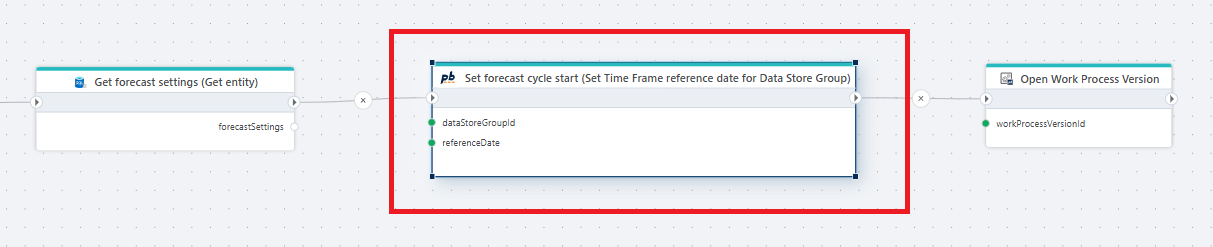
This flow sets the start date of a forecast cycle by defining the time frame reference date for a Data Store Group.
It retrieves the forecast configuration, applies the reference date to the selected Data Store Group, and then opens the corresponding Work Process version. This establishes the point in time from which all time-based calculations and periods in the forecast are evaluated.
Properties
| Name | Required | Description |
|---|---|---|
| Connection | Yes | A valid InVision Connection used to execute the SQL script. |
| Data Store Group | Yes | The ID of the Data Store Group in InVision that will be rolled forward. |
| Reference date | Yes | Specifies the start date for which the planning cycle applies. The value must be of type DateOnly, DateTime or DateTimeOffset. |