Execute SQL Script returning a single value.
Executes an SQL Script defined in an InVision Solution that returns a single value.
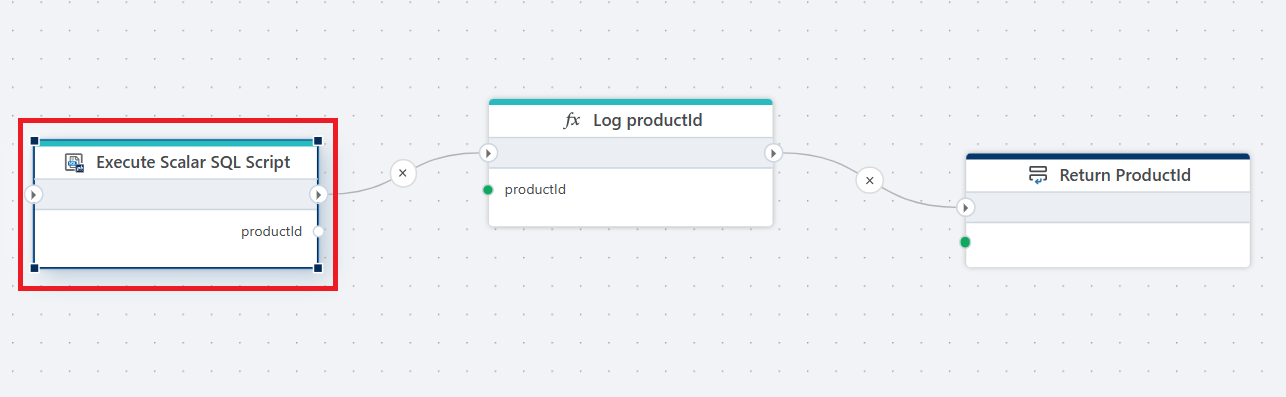
Example 
This flow executes a SQL query defined in an InVision Solution to retrieve a single value (productId), logs that value for debugging or auditing purposes, and then returns it as the output of the flow.
Note
The SQL Script must take less than 5 minutes to complete.
Properties
| Name | Required | Description |
|---|---|---|
| Title | No | A custom title for the action. If not specified, the default action name is used. |
| Connection | Yes | A valid InVision Connection used to execute the SQL script. |
| SQL Script | Yes | The InVision SQL script to execute. Returns a single scalar value. This script is created and stored in InVision. |
| Language | No | The language or dialect of the SQL script, when applicable. |
| Parameters | No | Defines input parameters for the SQL script. |
| Result variable name | Yes | The name of the variable where the scalar result will be stored. |
| Result variable type | Yes | The data type of the return value (e.g., String, Number, Boolean). |
| Disabled | No | When enabled, the action is skipped during runtime. |
| Description | No | Additional notes describing the purpose or usage of the action. |
Returns
Returns the result of the SQL script execution, which may include returned data (such as rows), output parameters, or execution status depending on how the SQL script is defined.