Transaction Scope
Sets a transaction scope that ensures all following SQL operations either succeed or fail together.
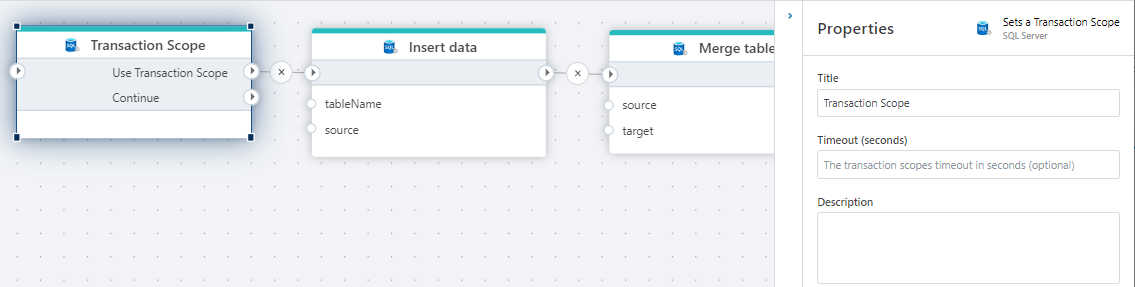
Properties
| Name | Required | Description |
|---|---|---|
| Title | No | The descriptive title of the action. |
| Timeout (sec) | No | The transaction scope timeout in seconds. |
| Isolation level | No | Specifies the transaction isolation level. The default is Serializable. |
| Description | No | Additional notes or comments about the action or configuration. |
Isolation levels
| Level | Description |
|---|---|
| Read Uncommitted | Specifies that statements can read rows that were modified by other transactions but not yet committed. |
| Read Committed | Specifies that statements can't read data that was modified but not committed by other transactions. This prevents dirty reads. |
| Repeatable Read | Specifies that statements can't read data that was modified but not yet committed by other transactions, and that no other transactions can modify data that was read by the current transaction until the current transaction completes. |
| Snapshot | Specifies that data read by any statement in a transaction is the transactionally consistent version of the data that existed at the start of the transaction. |
| Serializable | Statements can't read data that was modified but not yet committed by other transactions. No other transactions can modify data that was read by the current transaction until the current transaction completes. Other transactions can't insert new rows with key values that would fall in the range of keys read by any statements in the current transaction until the current transaction completes. |
For details, see the Microsoft documentation.
SQL Server: Videos / Getting started
This section contains videos to help you get started quickly working with Azure SQL / SQL Server using Flow.
Dump CSV file from Azure Blob container to Azure SQL table
This video demonstrates how to import all records from a CSV file into an Azure SQL table.
In the demo, no data import options (such as data type conversion, number or date formatting) are specified, meaning the data is imported as raw text.