Notification Context Link Clicked - event
The App Header Notifications component requires the event handler Notification Context Link Clicked to process context link clicks. This handler must be implemented to handle the link as needed.
For example:
- Process the data passed as the link argument and navigate to the desired location, workbook, page, filter, etc.
- Navigate directly to a URL.
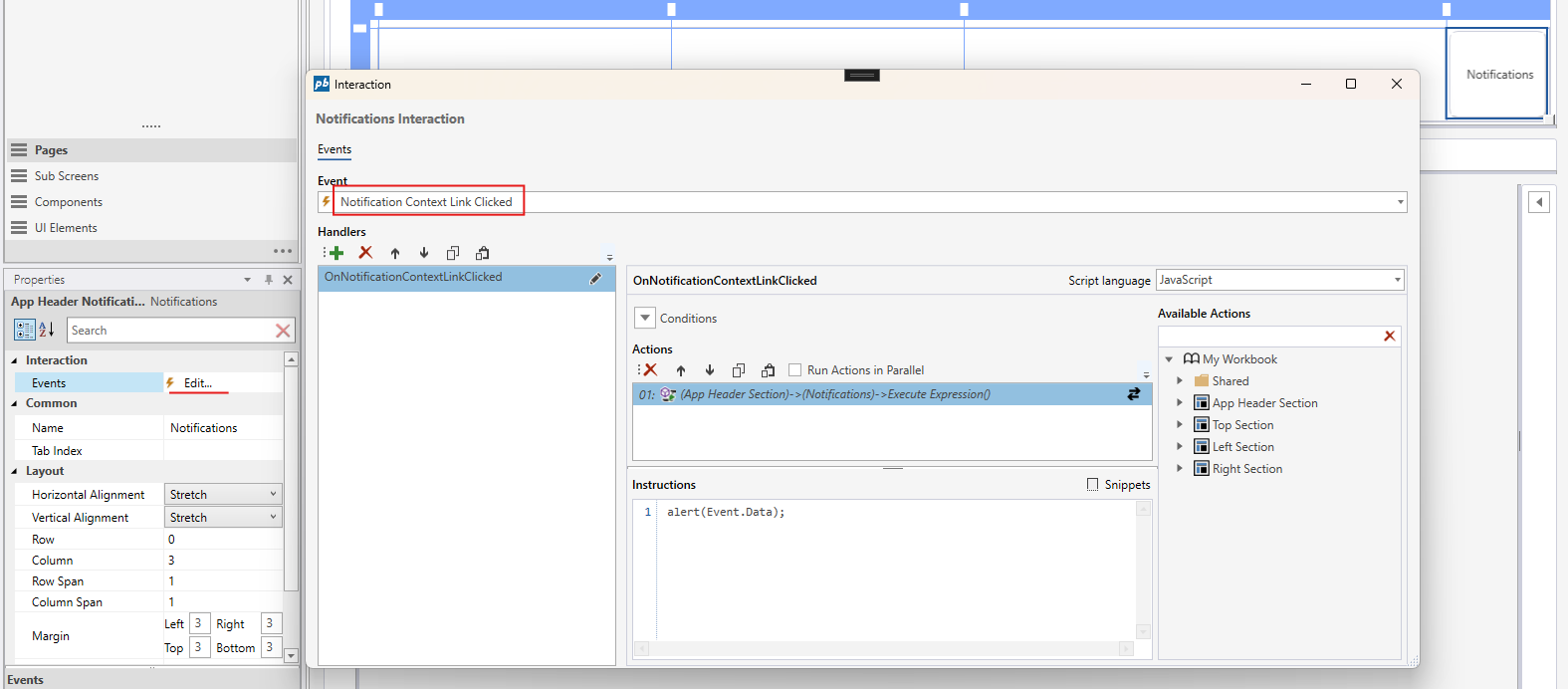
Example 
The example above shows a Notification Context Link Clicked handler with an Action of type Execute Expression(), where the instruction is set to: alert(Event.Data).
The argument Event.Data contains the value provided from the User Chat Workbook component in the Context Link property.
const contextLink = Event.Data
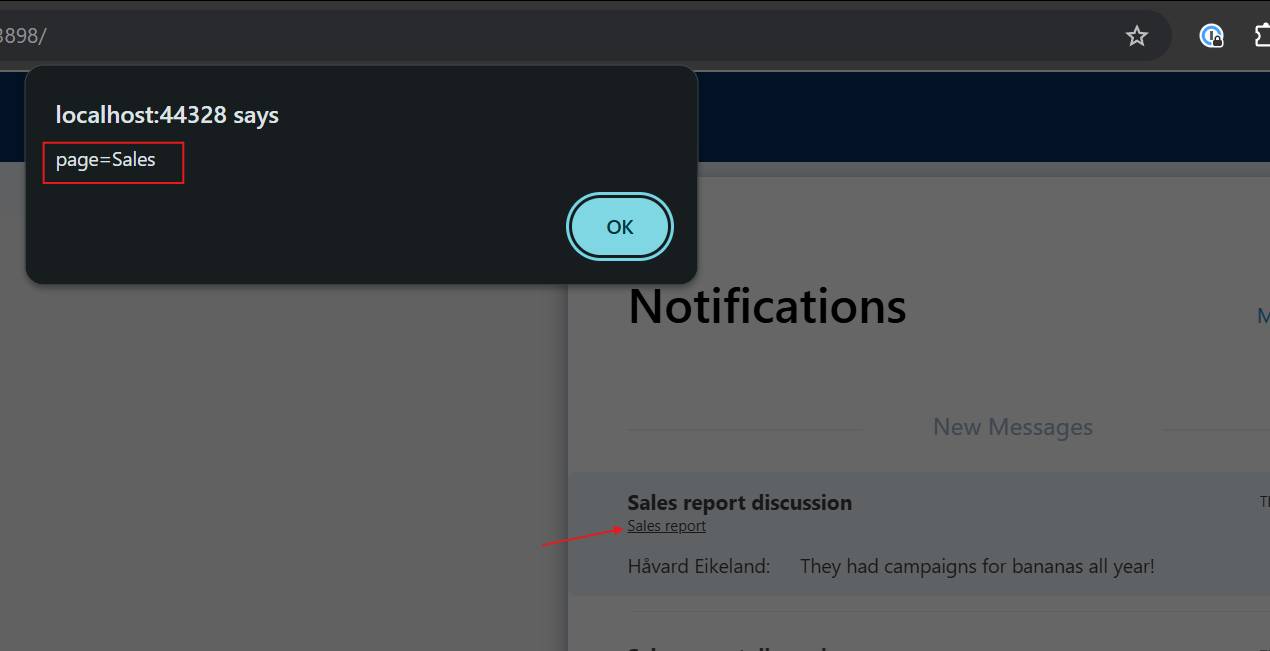
Example
The example above shows the result of the alert function added to the instructions of the Execute Expression() of the handler, where the value set in Context Link property is page=Sales.
Read more about Context Link on the User Chat workbook component here
The data provided can be logic data that has to be processed by the handler, or just a simple url.
Examples
Example simple url
window.location.href = Event.Data
Example complex data - e.g. when Event.Data is 'page=Sales'
const args = Event.Data.split('|').reduce((acc, pair) => {
  const [key, value] = pair.split('=');
  acc[key] = value;
  return acc;
}, {})

window.location.href = 'myworkbook/p=' + args.page