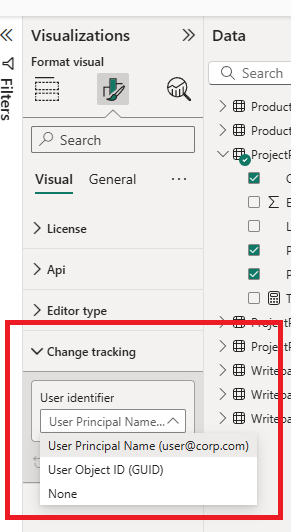
Change tracking
Change tracking enables the following:
- When a user clicks
Add signature, the user name (along with a timestamp) is inserted at the end of the current comments. - When changes are saved, the user identifier (as specified in the dropdown) is sent to the server to record who made the changes.
Options
| User identifier | Description |
|---|---|
| User Principal Name (upn) | The UPN as defined in your Entra ID instance. Usually the email (user@corp.com) |
| User Object ID (oid) | The unique id (GUID) of the user account in Microsoft Entra ID. |
| None | Disables change tracking. |
Enable change tracking
To enable change tracking, the visual needs to obtain information about the signed-in user. For this purpose, the visual uses a Microsoft Entra ID API provided by Power BI. To enable the API, please ensure that:
- [Required] Enable AppSource Custom Visuals SSO
- [Optional] Apply admin consent on behalf of the organization.
Disable change tracking
To disable change tracking, select None in the dropdown list.