Flow AI tool
Specifies a Flow that enables the Tools AI Agent to use it as a tool.
Example 
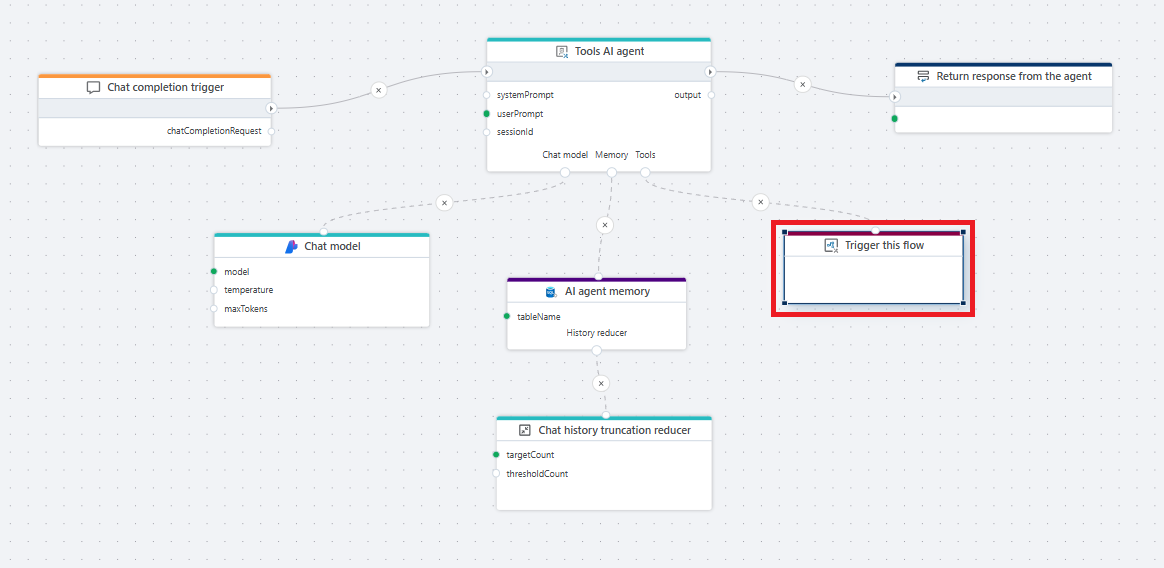
This flow demonstrates how an AI agent uses the Flow AI tool to invoke another flow as part of handling a chat request. The agent processes the user message using a chat model and maintains conversation context in memory (AI agent memory). The connected flow is invoked through the Flow AI tool, and the called flow is exposed using the Flow AI tool trigger. The result is then used by the agent to generate and return the final response to the caller.
Note
You can only select Flows with a Flow AI tool trigger.
Properties
| Name | Required | Description |
|---|---|---|
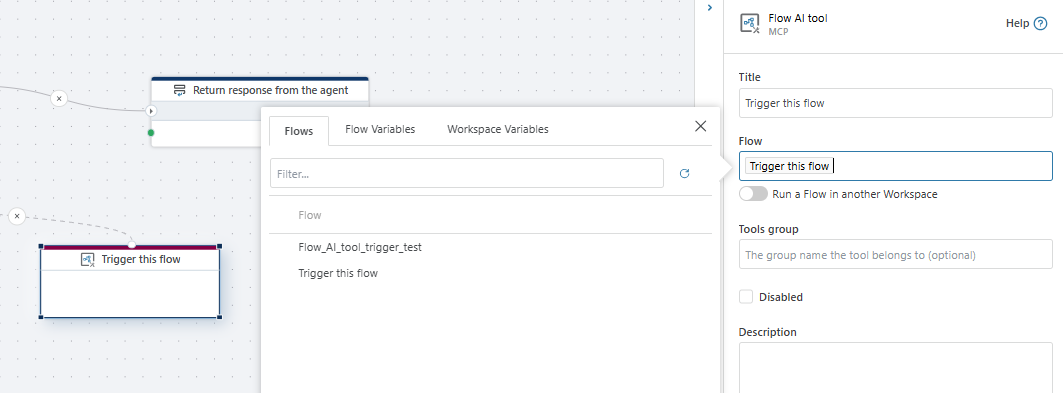
| Title | No | A descriptive title for the action. This value is not used by the system and serves only as a user-defined label to make the action easier to identify. |
| Flow | Yes | The flow that will be invoked by the AI agent when this tool is called. |
| Run a Flow in another Workspace | No | Allows invoking a flow from a different workspace. |
| Tools group | No | Logical group name used to organize tools available to the AI agent. This property should only be considered when using the Tools AI agent with Code mode enabled and you pull in tools from different sources with conflicting names. |
| Disabled | No | Disables the tool so it cannot be invoked by the AI agent. |
| Description | No | Description of what the tool does, used by the AI agent to understand its purpose. |