Upload file
Uploads a file to an FTP / SFTP directory.
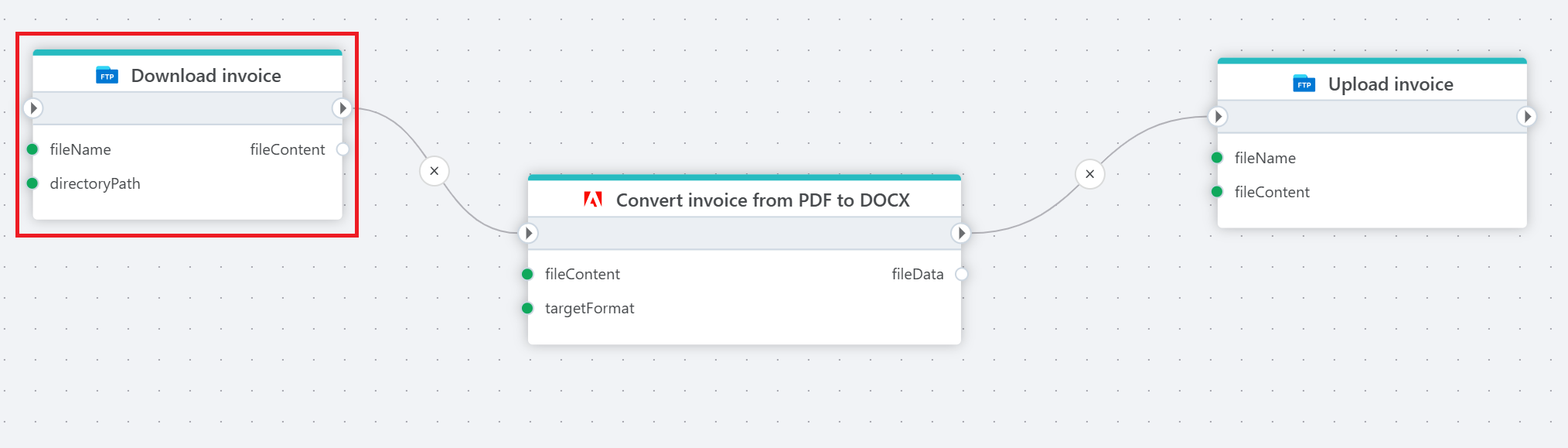
Example 
This flow downloads an invoice as a PDF file from an FTP server, converts it to a editable Word document (.docx), and uploads the converted file back to the server in a different folder for further editing or approval.
Properties
| Name | Required | Description |
|---|---|---|
| Title | No | The title of the action. |
| Connection | Yes | Select a connection to the FTP or SFTP server where you plan to upload your file. |
| File name | Yes | Select or enter the name of the file to upload. |
| Directory path | No | Select or enter the directory path to upload to. |
| Source file | Yes | Select the source content for the file. |
| Replace existing file | No | Enable this option to overwrite a file if one with the same name already exists. |
| Description | No | Additional notes or comments about the action or configuration. |