How To Compose Dimension
Link to the video
Under this link you will find a video that shows how to create a Composite Dimension.
Read more about defining dimensions here.
Step by step
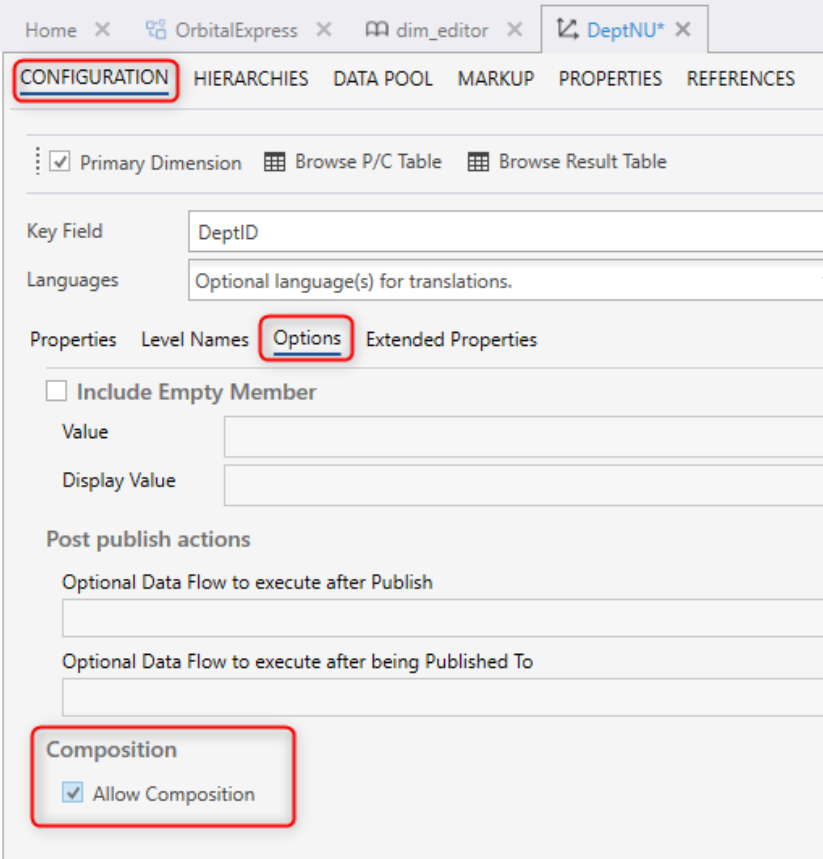
- Check out "Allow Composition" box in the Options tab, to enable a dimension to be composable. A Composite Dimension is a "virtual" dimension that is made up of data from other dimensions. If you change a source dimension, the changes are automatically reflected in the Composite Dimension.
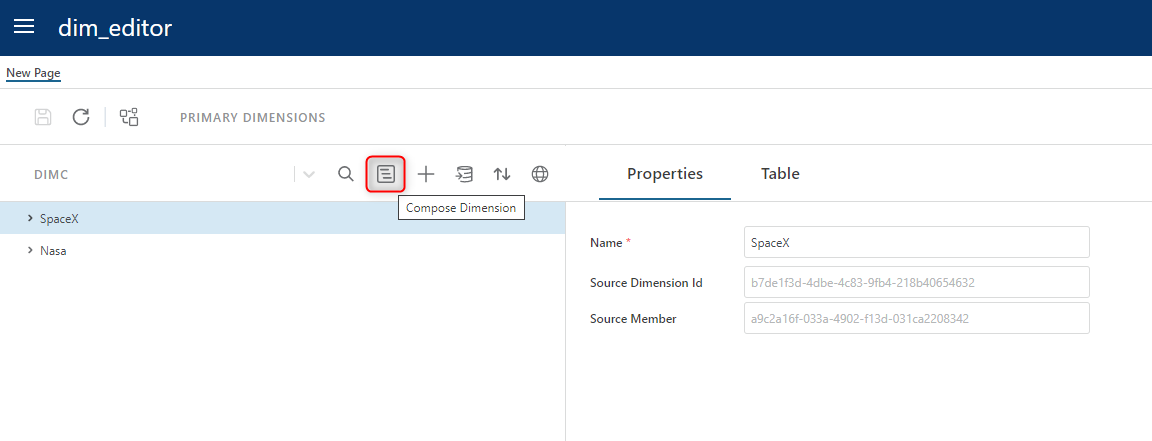
- Open the Dimension Composition window in the Dimension Editor and create a new Dimension:
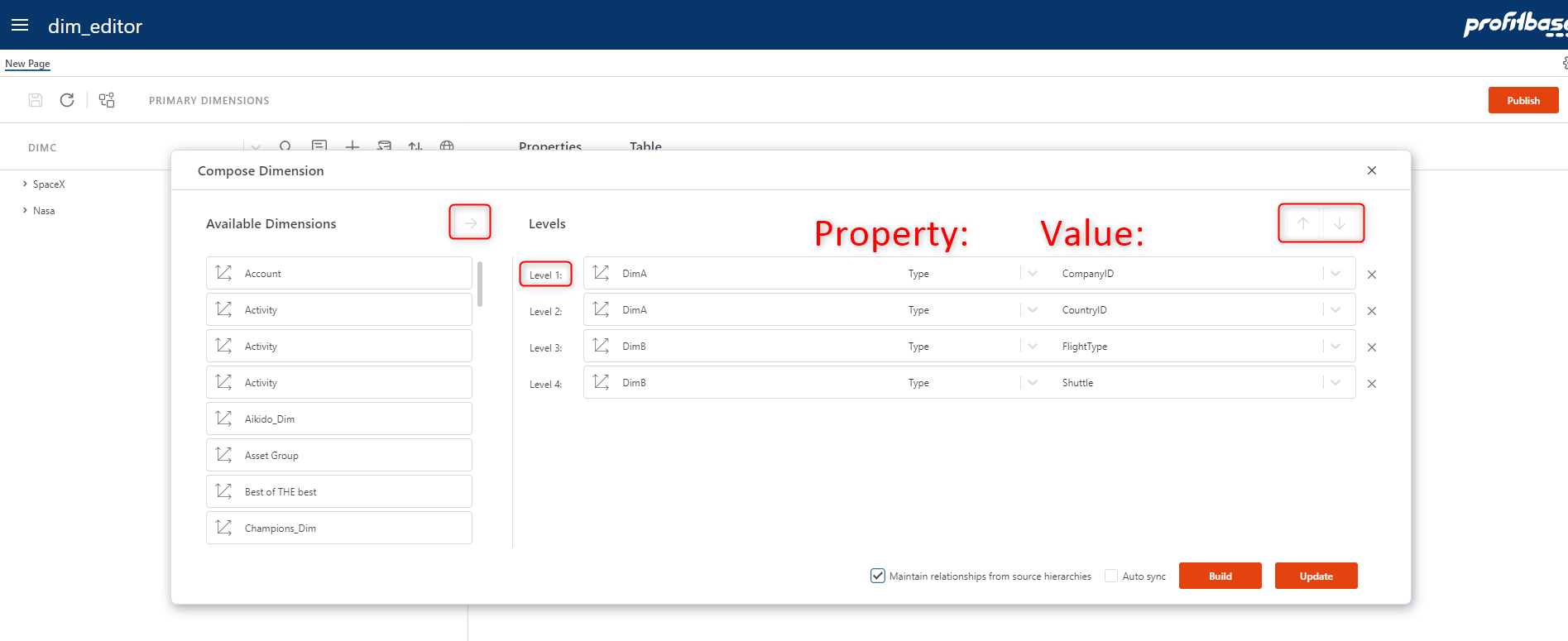
- Choose source dimensions and set up the property and value for each: