App Header Notifications
To enable notifications for a user’s unread chat messages, use the App Header Notifications component.
This feature is designed specifically for the App Header and should be added to the toolbar.

The App Header Notifications is shaped like button, showing a bell icon. When there are new or unread notifications, a red circle will be displayed at the top-right corner of the icon.
You can access the App Header toolbar from the workbook toolbar by enabling the Show App Header designer checkbox. Then, add the App Header Notifications component.
Actions
The App Header Notifications supports the following actions:
| Action | Description |
|---|---|
| Enable | Enables the button. |
| Disable | Disables the button |
| Execute expression | Dynamically enables or disables the button using the EnableIf(boolean expression) function. |
Example: Execute Expression()
To dynamically set the enabled state of the button based on whether the _state.Counter is 0 or not, enter the following expression in the Instructions panel:
EnableIf(_state.Counter === 0);
Events
The App Header Notifications supports the following event:
| Event name | Description |
|---|---|
| Notification Context Link Clicked | Triggered when a context link in a message is clicked. A context link is defined in the User Chat workbook component and stored for each message added to the chat. |
Notifications
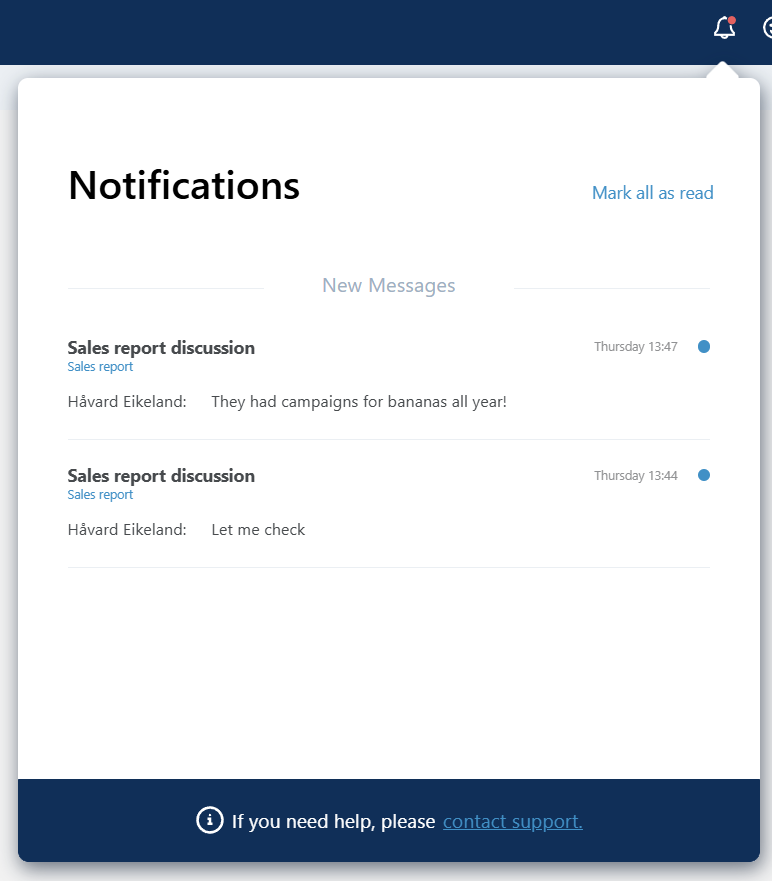
When the button is clicked, a pop down will appear beneath it, showing a list of all unread messages for the logged-in user.
Each message includes:
- The name of the chat solution item (or its translated name from the text code).
- Optional context text from the User Chat Workbook component. If a context link is provided, the context text becomes clickable.
- The sender’s name.
Note
Clicking a message automatically marks all messages from the same chat as read. Read messages will not appear as new or unread the next time the page is loaded.
Styling
The style of the App Header Notifications cannot be customized. This is intentional, as it inherits the standard appearance of system App Header buttons.