User chat
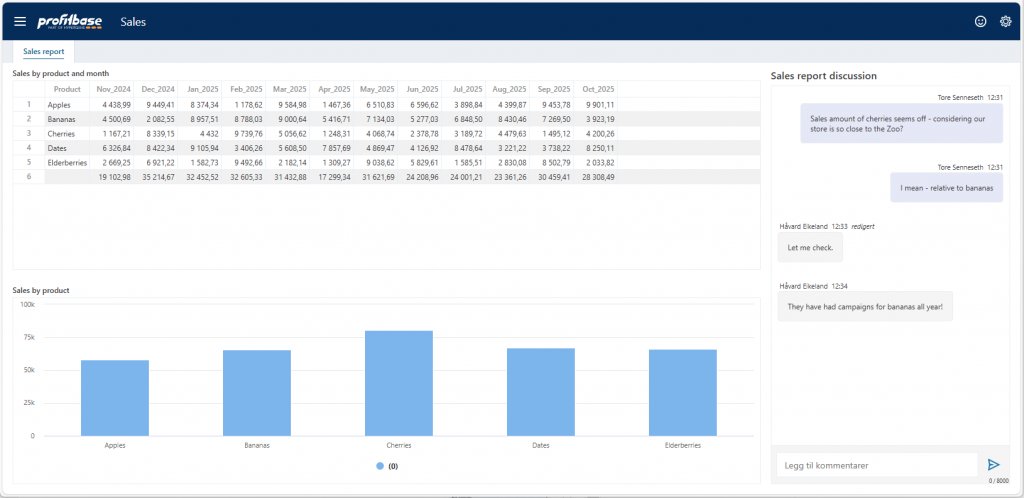
The User Chat component provides real-time, context-aware communication directly within Workbooks. It enables end users to collaborate with messages related to the specific analytical context they are viewing — such as a page, dashboard, report, or even a selected record or data point.
Properties
| Name | Description |
|---|---|
| Context Mapping | Context Mapping allows you to associate user chat context items with specific values or dynamic expressions, for example like department. More |
| Context text | A text that describes what the chat is about. This text will appear in messages on the App Header Notifications. More |
| Context link | Link to the location where the chat is located (e.g. workbook, page, with or without filter). More. |