Azure AI chat model
Defines an Microsoft Foundry chat model that an AI Agent, for example the Tools AI agent, can use to reason about what to do.
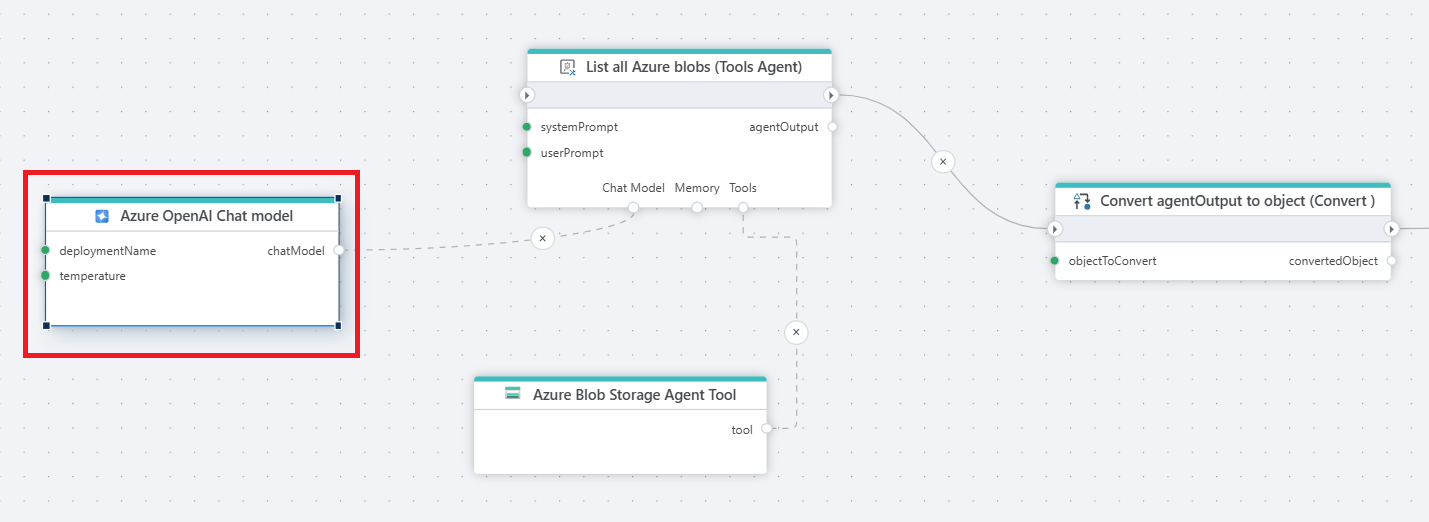
The example below illustrates using the Tools AI Agent to retrieve a list of all blobs in an Azure Storage container and return the result as a JSON string. We then convert the returned JSON string to a business object containing the list of files so we can use later in the Flow.
The Tools AI Agent uses the chat model to reason about how to perform the task given the tools provided to it. The Azure Blob Storage Agent Tool supports reading information about blobs in an Azure Storage container, so the tool will be used by the agent to complete the task.
The following prompts are used:
System prompt
You are an agent that will use the tools provided to you to perform the tasks requested by the user.
If you cannot perform the task, stop without any retries.
User prompt
List the names of all blobs found in the container.
Format the response as a JSON object on the following format:

{
   "blobNames": []
}

Do NOT wrap the response in Markdown annotation.
Properties
| Name | Required | Description |
|---|---|---|
| Title | No | The title of the model. |
| Connection | Yes | Defines the connection to Microsoft Foundry resource. |
| Enable dynamic connection | No | A Dynamic Connection will override the connection on flow execution. |
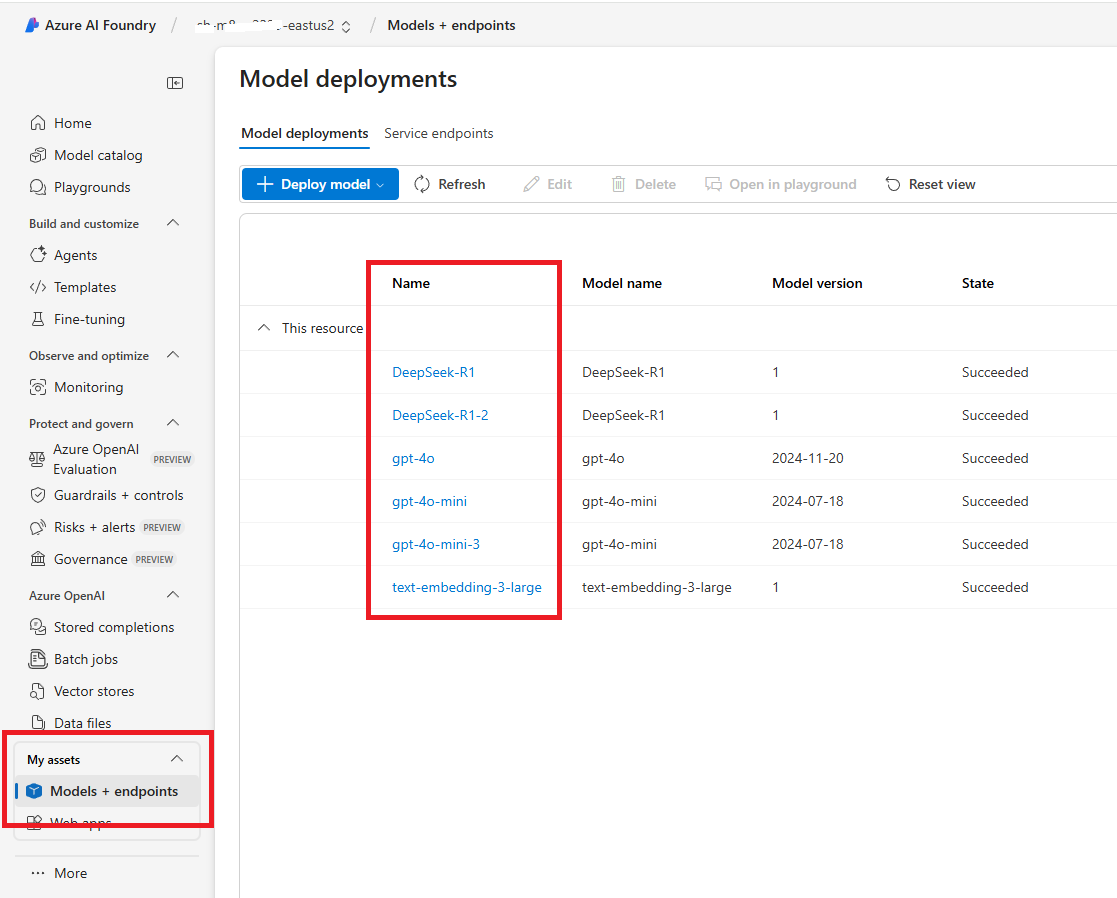
| Model | Yes | Specifies the model deployment name, which corresponds to the Name (not the model id) of the deployed model in Microsoft Foundry See below. |
| Temperature | No | Temperature in models controls the randomness and creativity of the generated responses. Lower temperatures (e.g., 0.2) produce more focused, predictable text, ideal for tasks that require precision. Higher temperatures (e.g., 1.5) increase creativity and variability, but may risk generating less coherent or relevant content, making it important to adjust based on your desired outcome. |
| Max Tokens | No | Sets a limit on the number of tokens (words, characters, or pieces of text) in the model’s response. |
| Reasoning effort | No | Guides the model on how much to think when performing a task. |
| API type | No | Specifies which API type to use for the selected AI model. Valid values are Completions, Responses and Messages. You should not specify this property unless you want to change the default. You also need to refer to the documentation of the model in Microsoft Foundry to check which API types are supported by the model. OpenAI (gpt-) models will use the Responses API and Anthropic models will use the Messages API by default. All other models will use the Completions API by default. |
Models
To find the Model deployment name, look in Models screen in Microsoft Foundry.
Azure AI: Videos / Getting started
This section contains videos to help you get started quickly with Azure AI in your Flow automations.
Create an AI chat solution using InVision and Flow
This video shows how to build an AI chat solution using Hypergene InVision and Flow. It includes how to populate a vector database, and use the vector database in a RAG-based chat completion flow to answer user questions from PDF product sheets.